5 Powerful reMarkable Tips You’re Probably Not Using (Yet) ✨📒
Share
5 Powerful reMarkable Tips You’re Probably Not Using (Yet) ✨📒
If you're like most reMarkable users, you already love the distraction-free writing experience. But are you really using the device to its full potential?
Here are 5 simple but powerful ways to take your reMarkable from just a notepad to a true productivity powerhouse 💪🧠
1. Navigate Smarter with Tags, TOC & Folders 🔖📂
The reMarkable doesn’t have a traditional “bookmark” feature — but it does offer better tools if you know how to use them.
✨ Here’s how to stay organised and move faster:
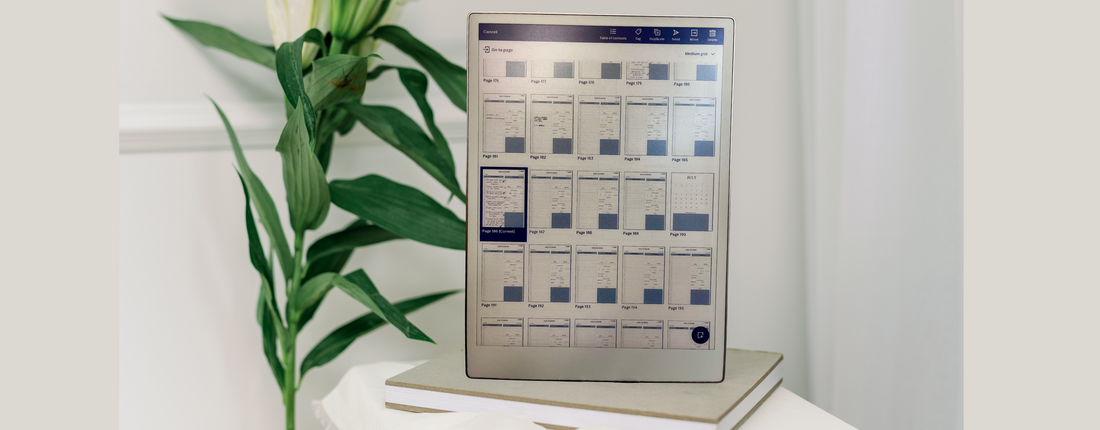
- Use the Tag feature to mark key pages (like “Weekly Review” or “Client Notes”) and search them instantly
- Tap “Table of Contents” in your planner or document (if your template supports it) to jump directly to sections
- Create folders and sort your templates (e.g., “Daily”, “Clients”, “Content”) instead of having everything dumped on your home screen
- Name pages clearly when possible, so you can find them via search
Bonus tip: All PlanPro Templates are hyperlinked and designed to work smoothly with the Table of Contents function for quick tap-to-jump navigation.
2. Build a Clean Digital Bullet Journal 🧼🖊️
Create a simple system:
- Tasks 🗂️
- Notes ✏️
- Ideas 💭
Use the Tag feature to mark key pages so you can return to them with a quick search. No messy spreads, no flipping endlessly — just clean, focused journaling.
3. Turn Handwritten Notes Into Real Action ⚡📄
Don’t just write it — use it. The handwriting-to-text tool lets you convert scribbles into clean, usable content. Copy and paste it into your planner or share it via email.
Perfect for client meetings, content planning, or brain-dumps that need structure.
4. Create a Weekly Reset Ritual 🔁📆
Spend 10–15 minutes every Sunday doing a quick review:
✅ What went well
⚠️ What didn’t
🎯 What’s your focus for the week ahead
With a good weekly review template, you’ll start Mondays clear and ready to move forward — not spinning your wheels.
5. Use Syncing Smartly — Not Constantly 🔄📱
The reMarkable app for phone or desktop is great for reviewing notes, but avoid relying on it for editing or planning. Keeping your workflow centered on the tablet helps protect your focus and prevents distractions.
Use syncing to stay connected — but let your reMarkable remain your clean, clutter-free planning space.
✨ Final Thought:
Your reMarkable is more than a digital notebook. With the right tools and habits, it becomes your personal HQ — focused, powerful, and completely your own.
💻 Want to upgrade your system with templates made just for reMarkable?
Check out our bestsellers here ➝
